
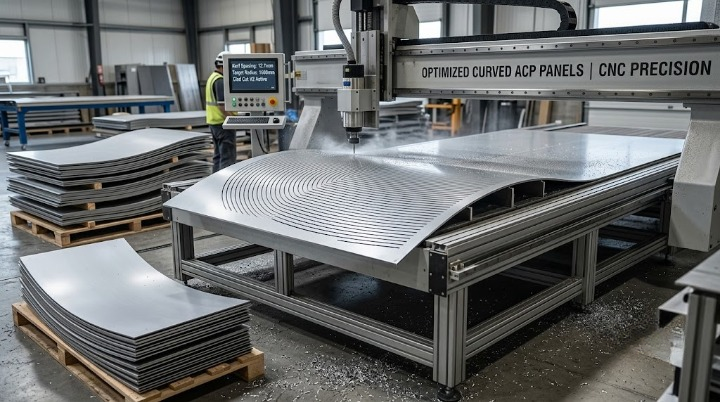
Fabricators attempting curved ACP panels through trial-and-error kerfing can waste sheets per radius element before achieving correct kerf spacing and depth, a costly learning curve on every curved project.
Why Curved Panels Require Fundamentally Different Fabrication Logic
Flat panel nesting and cutting logic does not directly translate to curved facade elements, which require specific kerfing patterns — precise cuts that allow a flat sheet to be incrementally bent into a curve — calculated based on the target radius and material thickness. Applying flat-panel assumptions to a curved element produces incorrect results.
Where Trial-and-Error Becomes an Expensive Learning Process
Without a calculated approach to kerf spacing and depth for a specific target radius, fabricators attempting curved panels often resort to iterative trial and error — cutting a test piece, checking the resulting curve, adjusting, and repeating — a process that consumes material on each unsuccessful attempt before arriving at the correct parameters.
Why This Cost Recurs Rather Than Being a One-Time Learning Investment
Because curved panel radii and material specifications vary from project to project, the trial-and-error process required to find correct kerf parameters for one specific radius does not necessarily transfer directly to a different radius on a subsequent project — meaning this costly learning curve can recur rather than being solved permanently after the first attempt.
Calculating Optimal Kerf Spacing and Depth for Target Radii
After explaining curved panel fabrication methods including kerf spacing and minimum radius by thickness, the fix is calculating kerf parameters directly for the specific target radius and material, rather than discovering them through iterative trial and error. Clad Cut V2’s curved panel module calculates optimal kerf spacing and depth for target radii, generating correct curves from the first attempt rather than requiring a costly learning process on each project.
Validate your curved panel approach — Use Clad Cut V2’s curve calculator.